

Invoice Data Extraction with AI
Automate invoice processing and save time. Fast, clear, and controlled.
AI pipeline for incoming and outgoing invoices with validation, review, and export to accounting systems. It recognizes supplier, IDs, dates, amounts, and items, allows manual review, and marks invoices as “exported” after export. The first 5 invoices are free.
Interface in action
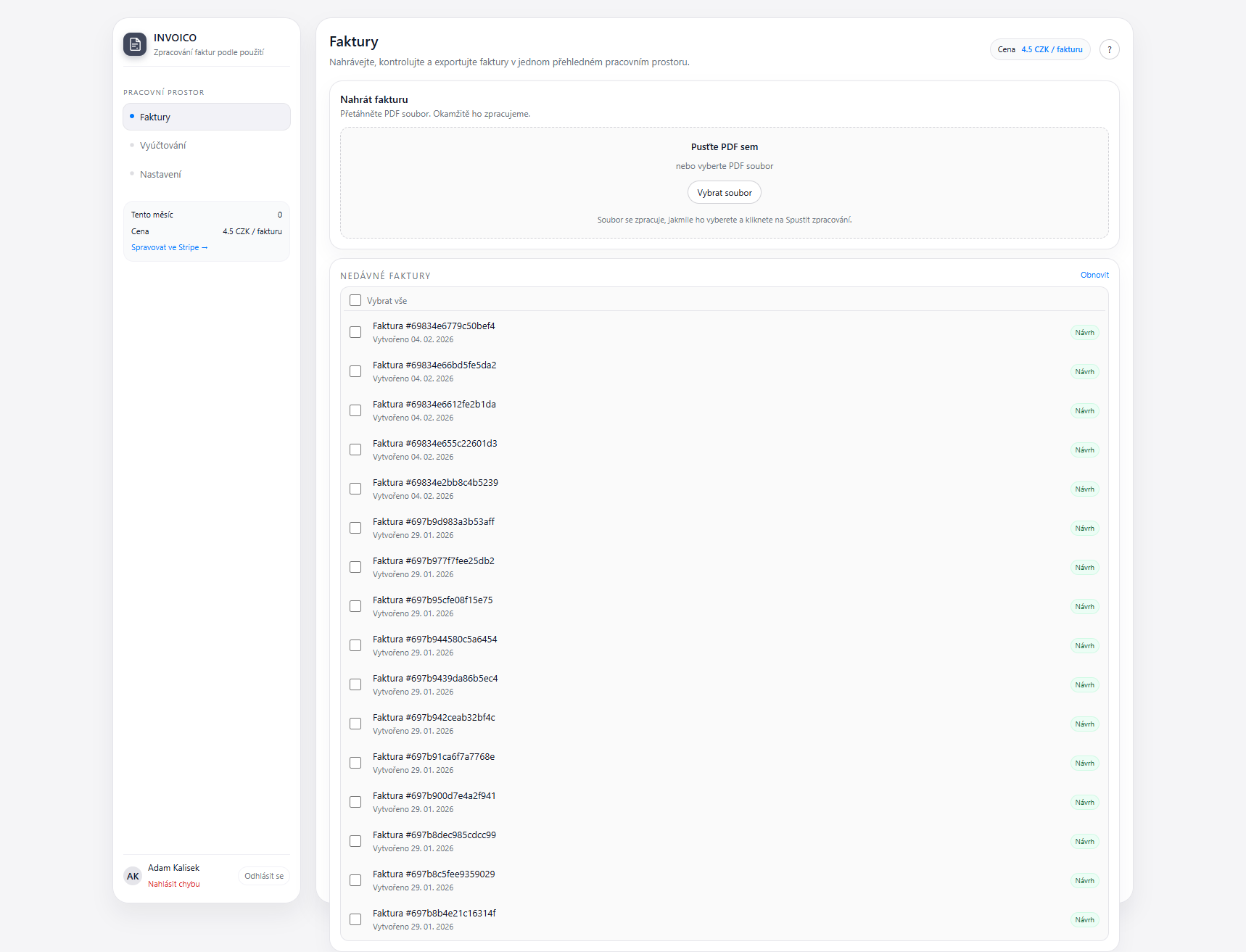
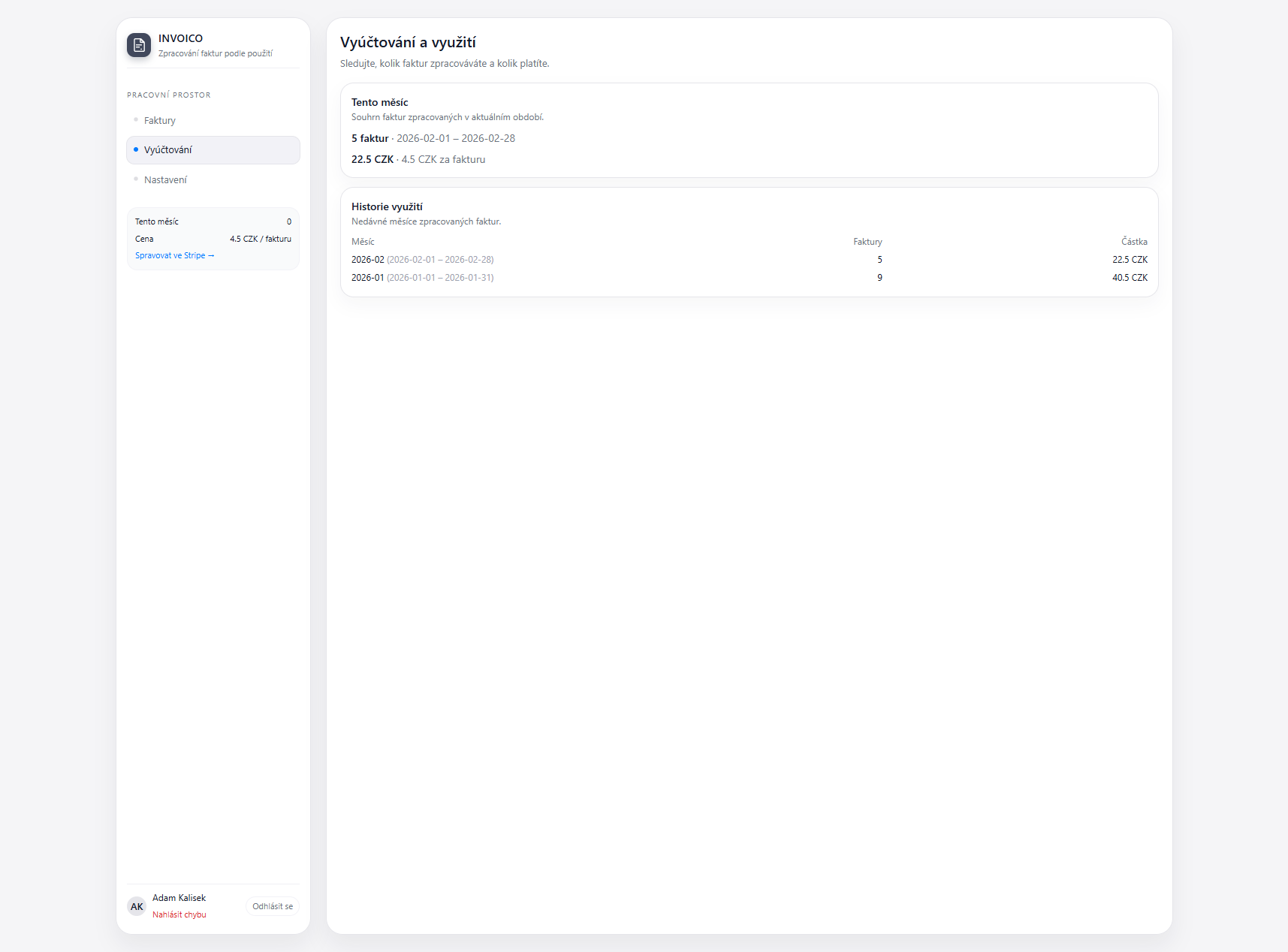
See the processed invoice list and usage billing overview.
Invoice list
Billing and usage
Manual invoice transcription = thousands of hours of lost work
Manually entering invoice data into accounting systems is time-consuming, error-prone, and difficult to scale.
What's happening in your company:
- Manual transcription of PDF, scans, and invoice photos
- High error rate when entering data manually
- Various invoice formats and currencies (CZK, EUR, USD)
- Time-consuming processing (10-20 minutes per invoice)
- Manual validation of Company ID, Tax ID, math, and duplicate checks
- Processing multi-page documents
Result without AI:
- High administrative costs
- Accounting errors
- Slow invoice processing
- Overloaded accounting department
AI pipeline with automatic validation and ERP export
The system automatically recognizes invoice data (supplier, amounts, items, VAT) and transfers them to accounting systems like Pohoda, Money S3, Helios, or ABRA Flexi. It eliminates manual entry, minimizes errors, and speeds up the entire accounting process.
Key features
Bulk upload
Upload dozens of invoices at once. The system processes them automatically and prepares them for verification.
Multiple entities
Manage invoice extraction across different entities in one system. Each entity has its own settings.
Data transparency
Each field highlights the exact place in the invoice where the value was read. You always know where the data came from.
Line item toggle (in development)
Option to disable line item extraction globally or per supplier. Extract only VAT summaries and totals.
Status workflow
Invoices flow through clear statuses: newly uploaded, checked, awaiting approval, approved, exported.
Invoice approval
Accountant uploads and reviews, manager approves or rejects. Only approved invoices go to export.
Pre-posting (in development)
The system recommends pre-posting based on supplier, service type, and history. It learns from accountant behavior.
Mobile app
Take a photo of a receipt, upload it, and the accountant sees it immediately on the web. Easier control on the go.
Mobile app for fast receipt capture
Snap a receipt or document in the mobile app and your accountant sees it instantly on the web. Ideal for field teams and branches.

Invoice extraction output
An invoice detail example with extracted fields ready for quick review.

Why use our tool?
Use cases
Accounting firms
Processing invoices for dozens of clients with automatic export to their systems.
Finance departments
Automation of incoming and outgoing invoice processing for faster closings.
Shared service centers
Centralized invoice processing for multiple companies or locations.
E-commerce
Processing high volumes of supplier invoices for goods and services.
Wholesale
Managing hundreds of invoices from various suppliers with different formats.
Manufacturing companies
Processing invoices for raw materials, components, and services with unit conversions.
Integrations
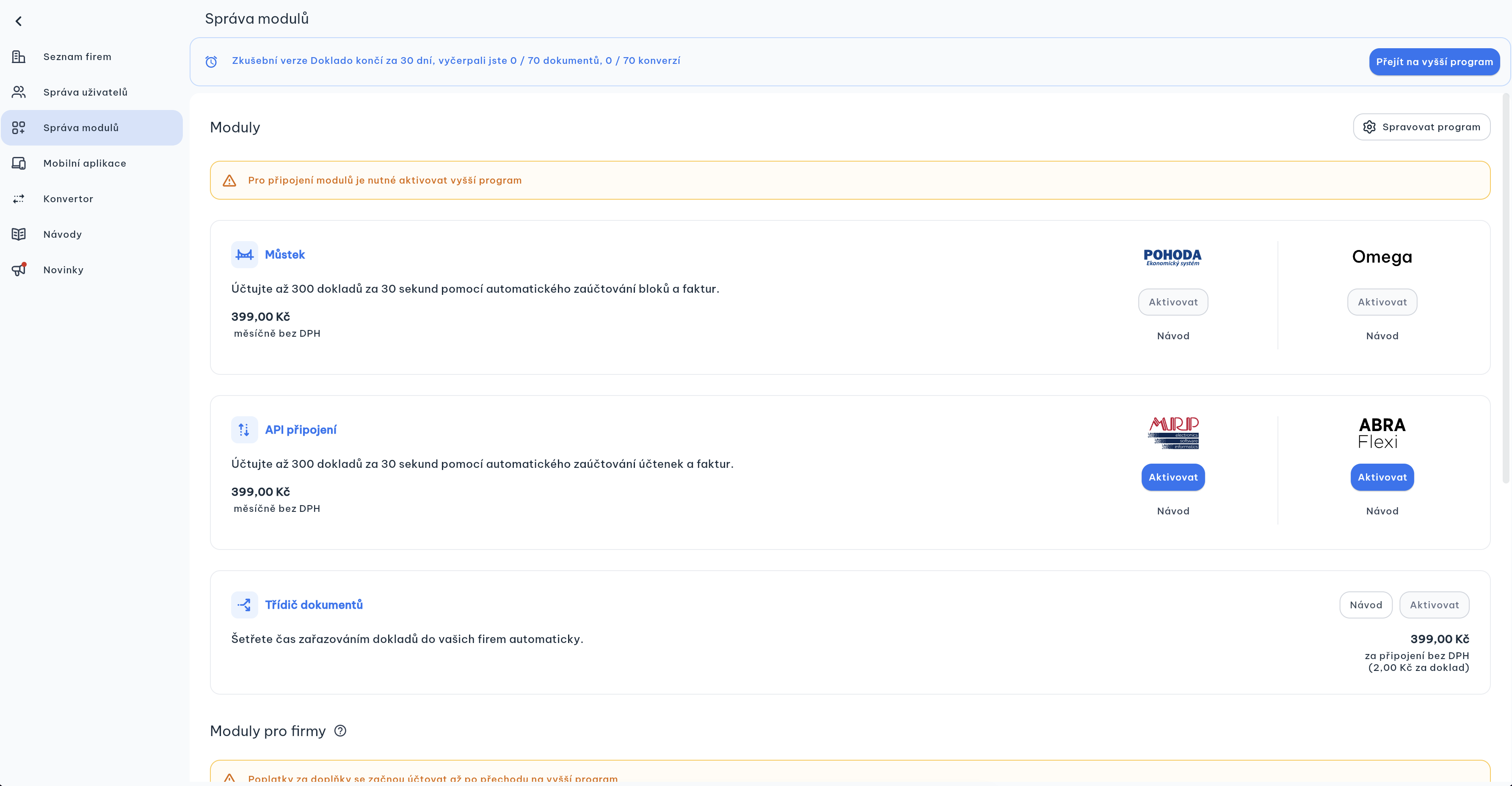
Accounting systems
- Pohoda
- Money S3 / Money S5
- Helios
- ABRA Flexi
- SAP
- CSV/JSON export for custom systems
Input formats
- PDF invoices (incoming and outgoing)
- Scans (even low quality)
- Mobile phone photos
- Multi-page documents
- Email attachments
Output options
- Direct export to ERP/accounting system
- CSV/JSON export
- API integration
- Email notifications
- Automatic archiving
How it works
Upload invoice
Upload PDF, scan, or photo of the invoice - the system automatically recognizes the format.
AI extraction
AI extracts all key data: supplier, Company ID, Tax ID, items, amounts, VAT, due date.
Validation
Automatic checks for math, company IDs, VAT, duplicates, and data consistency.
Two-panel verification
Clear interface displays the original invoice and extracted data with color highlights for quick review.
Export to ERP
After review, data is automatically exported to your accounting system.
By automating 500 invoices monthly, you can save annually
Custom implementation
| Module | Invoice extraction |
| Implementation | 1-2 weeks |
| Data requirements | Sample invoices from suppliers |
| Processing price | 5 CZK per invoice (no fees) |
Implementation process (custom)
Invoice analysis - Mapping types and formats of your invoices
System setup - Configure validations and exports
Fine-tuning - Optimization for your specific suppliers (100% accuracy)
Testing - Verify accuracy on representative invoices
ERP integration - Connection to your accounting system
Launch - Automatic invoice processing
Frequently asked questions
What is the invoice recognition accuracy?
We guarantee 95% extraction accuracy. For your specific invoice formats we reach 90–100% accuracy.
How much does invoice processing cost?
5 CZK per invoice. You only pay for what you extract, with no monthly fees.
How long does implementation take?
Typically 1-2 weeks including accounting system integration and fine-tuning for your invoice formats.
Do you support our accounting system?
We support Pohoda, Money S3/S5, Helios, ABRA Flexi, SAP, and others via CSV/JSON export or API.
Can the system handle poorly scanned invoices?
Yes, AI handles low-quality scans and mobile phone photos.
How does data validation work?
The system automatically checks Company ID, Tax ID, mathematical calculations, VAT, duplicates, and data consistency.
Can I review data before export?
Yes, the two-panel interface allows quick review and corrections with color highlights.
Which exports are supported and what happens after export?
We support ISDOC and XML exports to Pohoda, Abra and other accounting systems. After export, the invoice automatically moves to the “exported” status.
Can line‑item extraction be disabled?
Yes. You can disable line items, extract only summaries, set it globally or per supplier, and enable items only when needed.
How does invoice approval work?
The accountant uploads, checks, and saves the invoice. A manager approves or rejects it. Only approved invoices go to export and accounting.
Do you recommend pre‑posting and handle VAT logic?
Yes. We recommend pre‑posting based on supplier, service type, and history, and we handle VAT regimes (CZ/EU/third country/OSS).
Do you support mobile receipt capture?
Yes. You can take a photo of a receipt, upload it, and the accountant sees it immediately in the web app with company selection.